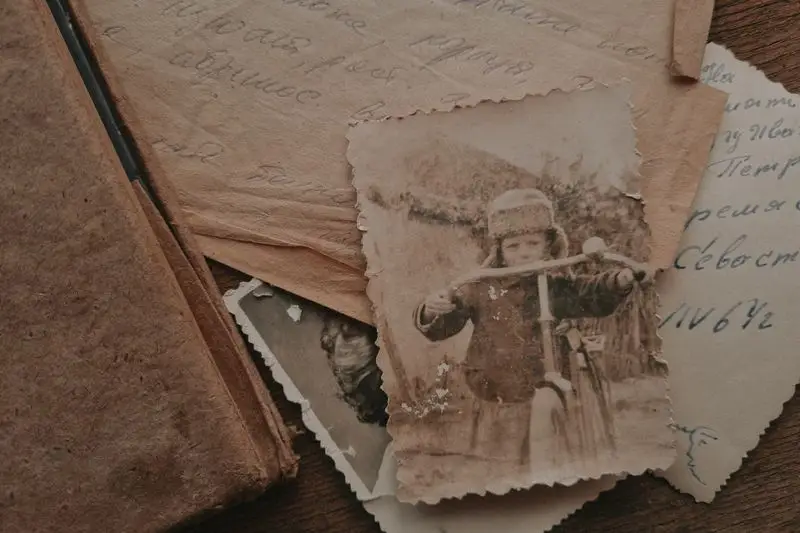
Somewhere in a closet, a drawer, or a shoebox under a bed, there is a photograph of someone you love that is slowly disappearing. The colors are shifting toward orange. A crease runs straight through someone's face. Water damage has eaten away one whole corner. It happens to almost every family's photo collection, and it happens quietly, which is exactly what makes it so easy to ignore for years at a time.
The good part is that most of this damage can be undone, or at least slowed down dramatically, with tools that are far more accessible than they used to be. You do not need a darkroom or a degree in photo editing. You need a plan, a few free or cheap tools, and a little bit of patience.
Why Old Photos Deteriorate in the First Place
Before fixing a photo, it helps to understand what is actually happening to it. Most prints from the 20th century were never built to last forever. The paper, the chemicals, and the inks used in older film photography break down over time when exposed to light, humidity, and temperature swings.
Fading happens because the dyes in color photographs are chemically unstable and react with light and air. Yellowing happens for a similar reason, especially in photos that were processed with cheaper chemicals or stored in non archival albums. Physical damage like tears, creases, and water spots usually comes down to handling and storage rather than the photo itself.
Knowing the cause matters because it tells you what is fixable through digital restoration and what requires physical care of the original print. A faded photo can often be brought back close to its original color through editing. A torn photo, on the other hand, needs the tear repaired digitally even after the physical print has already been creased for good.
Step One: Scan Before You Do Anything Else
If there is one step in this entire process that matters more than the rest, it is this one. Scan your photo before you attempt any kind of restoration, cleaning, or repair on the physical print.
A high quality scan protects the image permanently, even if the original photo keeps degrading in a drawer somewhere. It also gives you a digital file you can edit, duplicate, and share without ever touching the fragile original again.
What Resolution to Scan At
For most family photos, scan at 600 dpi at minimum. For photos that are especially small, damaged, or important, scan at 1200 dpi so you have enough detail to work with later. Save the file as a TIFF if your scanner supports it, since TIFF files do not lose quality the way JPEGs can after repeated editing. You can always convert to JPEG later for sharing.
If you do not own a scanner, many libraries offer free scanning equipment, and flatbed scanners are inexpensive enough that buying one is often worth it if you have a large family collection to work through.
Using Your Phone Instead of a Scanner
A phone camera can work in a pinch, though it will never match a true scanner for color accuracy and detail. If you go this route, photograph the print in even, indirect lighting to avoid glare and shadows. Place the photo on a flat, dark surface, hold the camera directly above it, and take the picture as straight on as possible to avoid distortion at the edges.
Step Two: Fix the Damage with Software
Once you have a digital copy, the real restoration work begins. The tools available today range from completely free to a modest monthly subscription, and the quality has improved dramatically in just the last few years.
Free and Low Cost Tools
GIMP is a free, open source alternative to Photoshop that handles most basic restoration tasks well, including removing dust, fixing scratches, and adjusting faded color. It has a learning curve, but countless tutorials exist for exactly the kind of repairs old family photos need.
Photoshop remains the industry standard and includes a Spot Healing Brush and Clone Stamp tool that work especially well for removing small tears, creases, and stains. If you already have access to Photoshop through a subscription, it is worth using.
Several AI powered restoration tools have also emerged that can repair scratches, sharpen blurry details, and correct fading automatically with a single click. These tools are not perfect, and they can sometimes alter facial features in ways that feel slightly off, so always compare the result against the original before deciding it is the final version.
Common Fixes and How to Approach Them
Fading and yellowing usually respond well to basic color correction. Adjusting the levels, curves, and white balance in any photo editor can bring back a surprising amount of the original color, especially in photos that have only shifted slightly.
Scratches and dust spots are best handled with a healing brush or clone tool, which lets you sample a clean area of the photo and paint over the damage. This takes patience on a photo with a lot of small marks, but the results are usually worth the time.
Tears and creases require a bit more care. The healing brush can rebuild small sections, but for a tear that crosses a face or an important detail, you may need to manually reconstruct the missing piece using similar areas of the photo or a matching photo from the same era.
Water damage and stains often respond to a combination of color correction and spot healing, though severe water damage that has warped the paper or dissolved the image entirely may be beyond what software can fix.
Step Three: Know When to Call a Professional
Software can handle a remarkable amount, but some photos deserve a human expert, especially the ones that matter the most to your family. A professional photo restorer can rebuild missing sections by hand, match grain and texture in a way that AI tools still struggle with, and work on a photo with the kind of attention that a one click filter cannot replicate.
This is usually worth the cost for a handful of irreplaceable images, such as a wedding photo, the only known picture of a grandparent as a child, or a photo that has been damaged so severely that the people in it are barely recognizable. You do not need to send your entire collection to a professional. Save that budget for the photos that would genuinely break your heart to lose.
The Step Most People Forget
Restoring the image is only half the job. The other half is writing down who is actually in the photo, where it was taken, and why it mattered, while someone in your family still remembers.
A perfectly restored photo of a smiling woman in front of a house means very little to a great grandchild fifty years from now if no one can say who she was or why that house mattered to her. The names, the dates, and the small details fade from memory even faster than the photo itself does.
This is the part of family history that gets overlooked the most, not because people do not care, but because no one ever sits down and asks the right questions before it is too late. A photo without a story attached is just a face waiting to be forgotten.
Pairing Restoration with Story
If you are already going through the work of scanning and restoring your family's old photographs, you are halfway to building something far more valuable than a folder of clean image files. You are building a record of who your family actually was.
That is the part of this work that software cannot do for you. A restored photo can show your kids what their great grandmother looked like. Only a story can tell them who she actually was, what she believed in, and what her life was really like.
This is exactly the gap Memoracy was built to close. While you are restoring the photos, Memoracy gives you a simple way to capture the stories that belong next to them, one daily prompt at a time, so the people in those pictures are remembered as more than just a face in a frame.
Sign up and start your first story today.